We’ve said it before, and we’ll say it again: don’t post your boarding pass online.
We’ve already covered why that can be risky (and how it can turn into a “how did I just lose all my miles?” situation) — right here. And back when paper boarding passes were still common, we also talked about why you should dispose of them properly when you get home.
But now that most people, except for my wife Sharon, use digital boarding passes (phone, smartwatch, airline app, wallet app), the mistake has evolved.
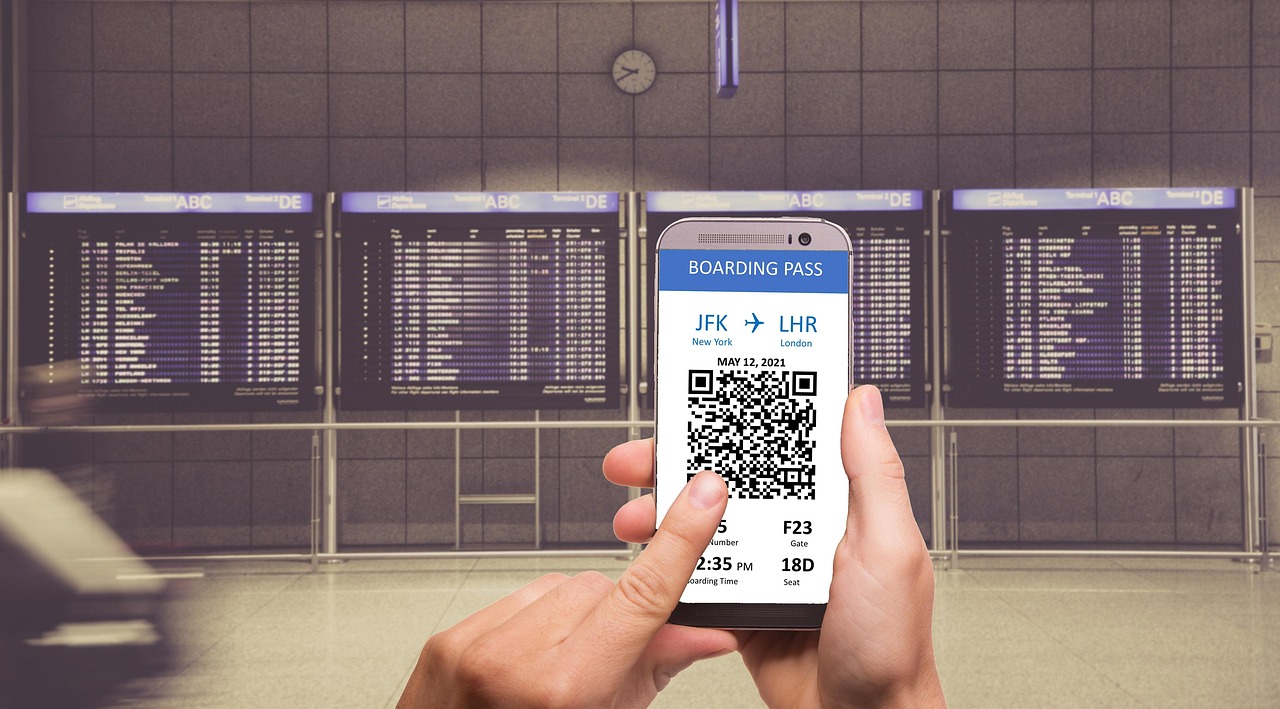
Instead of posting the whole boarding pass, people post a screenshot or a picture of the screen… and they think they’re being clever by covering the QR code/barcode with a thumb, a sticky note, or a piece of paper. Or they do the digital version of that — a quick smudge, blur, or scribble in an image editor — and assume it’s now “safe.”
WRONG!!!
Digital boarding passes made this easier (for everyone)
Back in the paper days, posting a boarding pass photo usually meant you had to be pretty careless. You had to take a picture of the whole thing, upload it, and ignore the big, obvious barcode sitting there like a “scan me” invitation.
Now? Digital boarding passes are basically designed to be photographed.
- You pull it up on your phone.
- You take a screenshot (because it’s easier than opening the app again).
- You post it because “I’m traveling!”
And because it’s on a bright screen with a crisp code, it can be very easy for someone else to scan it from a photo — even if you think you hid “enough” of the code.
Quick reminder: what could actually go wrong?

I know, I know — some people read this and think, “Who would bother?” But boarding passes aren’t just a cute travel screenshot. They can contain details tied to your trip and your account, and that’s exactly why you don’t want strangers getting a clear look at them. Security experts have been warning about boarding pass barcodes for years.
- Someone could potentially pull up your reservation details (or try to) using information visible in the screenshot.
- In the wrong hands, that can turn into a headache: messing with a seat assignment, canceling segments, or triggering unwanted changes you then have to fix.
- If your frequent flyer details are visible, you’re adding another layer of risk — because now it’s not just your trip, it’s your points/miles account tied to it.
- Even if nothing “gets stolen,” you’re still broadcasting personal info: your full name, route, travel dates, and where you’ll be at a specific time.
Most people aren’t out to cause trouble. But why make it easier for the ones who are? Because you wanted to post a screenshot that could’ve been a picture of your airport coffee?
Why “covering part of the QR code” doesn’t work
Here’s the part most people don’t realize: QR codes include error correction. That means they’re designed to still scan even when they’re scratched, wrinkled, partially obscured, or not perfectly visible.
So when you cover a corner with your thumb, you’re not necessarily “blocking the scan.” You’re just making it slightly harder. And “slightly harder” is not the same as “impossible.”
Sometimes your thumb covers the wrong part. Sometimes the rest of the code is still more than enough. Sometimes the photo is clear enough that a scanner can still read what it needs.
Bottom line: if any machine-readable code is still visible, don’t assume it’s safe.
How to share travel pics without sharing your boarding pass
If you really want to post something travel-related, here are the safer options:
- Best: Don’t post the boarding pass at all. Post the wing view, the terminal sign, the lounge cocktail, the “delayed again” board… anything else.
- If you insist on posting it: crop the code out completely. Not “cover it.” Remove it from the image.
- Use a markup tool to place a solid opaque box over the entire code area (and give yourself a little margin around it).
- If you blur/pixelate, make it heavy. A light blur can still leave it readable.
And don’t forget: it’s not just the barcode. If your screenshot shows your confirmation code, ticket number, frequent flyer number, or other identifying details, you’re still handing out information you didn’t mean to share.
Yes, most people online aren’t trying to ruin your day. But it only takes one person with the right app and the wrong intentions to turn your “look where I’m going!” post into a mess you didn’t need.
So please: stop posting boarding pass screenshots — even with the code covered.
Want to comment on this post? Great! Read this first to help ensure it gets approved.
Want to sponsor a post, write something for Your Mileage May Vary, or put ads on our site? Click here for more info.
Like this post? Please share it! We have plenty more just like it and would love it if you decided to hang around and sign up to get emailed notifications of when we post.
Whether you’ve read our articles before or this is the first time you’re stopping by, we’re really glad you’re here and hope you come back to visit again!
This post first appeared on Your Mileage May Vary

2 comments
@Joe, Gayle King posted her boarding pass with the PNR, flight, part of the barcode, seat number, Global Services status, etc., all visible… SMH.
It’s not just boarding passes. I’ve seen screen shots of concert and sports event tickets posted online BEFORE the event. Anyone could take that screen shot and use it to get into the event.l