When it comes to using credit cards to pay for travel, earning points is the easy part. Booking award travel is where the process gets complicated.
This post is about a specific situation that I imagine more than a few people have found themselves in: transferring American Express Membership Rewards points to an airline frequent flyer program to book an award.
Using flexible points this way is still one of the best ways to get oversized value for your points — especially if you’re trying to book premium cabin award flights.
For this example, I’m going back to the flights I booked with ANA for my dad and his wife to fly to Bali. And without them knowing at the time, I also booked them on the EVA Airways Hello Kitty plane.

They each needed 136,000 miles in their ANA accounts to book these Business Class flights. American Express Membership Rewards transfer to ANA at a 1:1 ratio, and they each were a few thousand points short.
I was willing to “top off” their ANA accounts with some of my Membership Rewards points — but that’s where American Express rules can get in the way.
You can’t just transfer Membership Rewards points to anyone
American Express generally only allows Membership Rewards transfers to:
- Your own airline/hotel loyalty accounts, and
- The loyalty accounts of an Additional Card Member (authorized user/employee card member) on your account.
And even then, there’s a catch: the additional card usually has to be on your account for at least 90 days before you can link and transfer points to that person’s loyalty account.
Also important: the name on the loyalty account should match the name on the Amex card profile for the person receiving the transfer. (Some programs are stricter than others, so mismatches can lead to headaches.)
The “simple” workaround (and why I didn’t love it)
The most straightforward workaround is to add the person as an authorized user on one of your Membership Rewards-earning personal cards, wait out the required time period, and then transfer points into their frequent flyer account.
I’ve already mentioned that I’m not crazy about adding authorized users. The biggest drawback is that on many personal credit cards, the account can show up on the other person’s credit report. That can matter if they’re trying to apply for new cards and want to keep their credit profile “clean.”
At the time, I wanted my dad to be able to sign up for additional cards in the future, so adding him to one of my personal Amex cards wasn’t my favorite option.
The workaround that worked better: use a business card (and add employee cards)
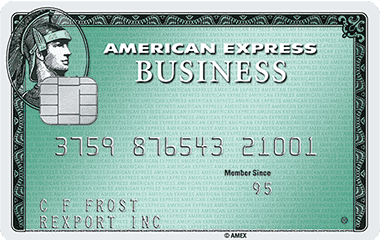
Instead, I added my dad and his wife as employee card members on a Membership Rewards-earning American Express business card.
Why does this matter? Because many business card setups don’t impact an employee card member’s personal credit report the same way a personal authorized user account can. (Even so, it’s smart to remember that credit reporting rules can vary by issuer and by situation, especially if payments go bad.)
The process is pretty straightforward:
- Log into the Amex business account that earns Membership Rewards.
- Look for a section like “Employee Cards,” “Additional Cards,” or “Add Someone to Your Account.”
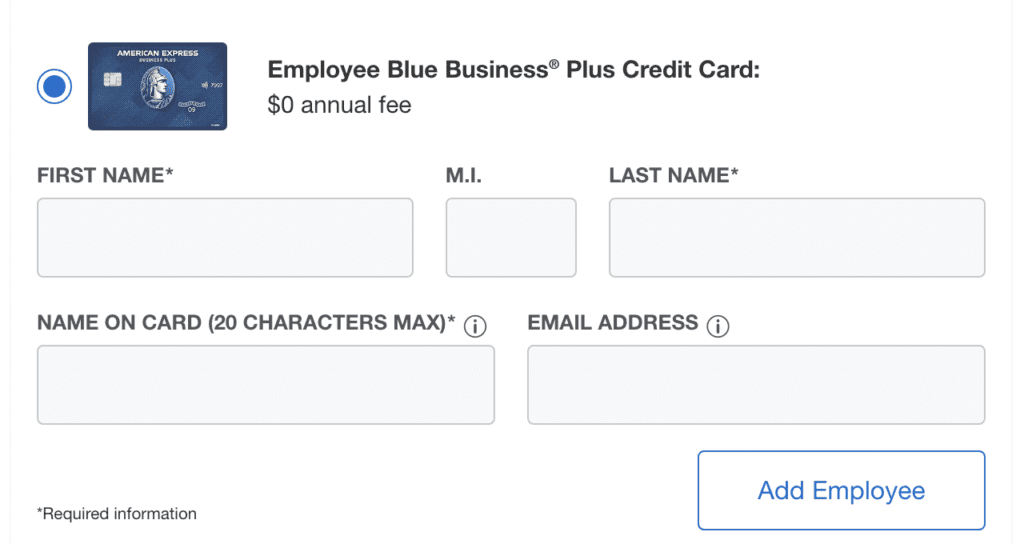
- Add the person, and (if you’re only doing this for transfers) choose the $0 additional card option when available.
Don’t pay for an additional “Platinum” employee card if you don’t need it
If you have an Amex Business Platinum, you may be offered different “tiers” of additional cards:
- A paid additional card that matches the main card level (which can cost hundreds per year), and
- A $0 employee/expense card option.
If the only reason you’re adding someone is so you can transfer Membership Rewards points into their frequent flyer account, there’s usually no reason to pay for a premium additional card. Go with the free option.
A no-annual-fee option that makes this even easier
It’s the same general idea with the Amex Blue Business Plus:
- No annual fee,
- still earns Membership Rewards, and
- you can add additional employee cards at no cost (Amex allows up to 99 additional cards on many business products).
One more thing: make sure you’re doing this on the right kind of Amex
This workaround is designed for cards that earn Membership Rewards.
If you’re adding someone to an Amex co-brand card (Delta, Marriott, Hilton, etc.), the rules and transfer setup may not work the same way — because you’re not transferring Membership Rewards points in the first place.
Final thought
Problems like this pop up all the time when you’re trying to redeem points for award travel.
Instead of giving up, you just need to look for what options are available. Sometimes it means jumping through a few hoops — but if it helps you lock in the award you actually want, the payoff can be worth it.
Want to comment on this post? Great! Read this first to help ensure it gets approved.
Want to sponsor a post, write something for Your Mileage May Vary, or put ads on our site? Click here for more info.
Like this post? Please share it! We have plenty more just like it and would love it if you decided to hang around and sign up to get emailed notifications of when we post.
Whether you’ve read our articles before or this is the first time you’re stopping by, we’re really glad you’re here and hope you come back to visit again!
This post first appeared on Your Mileage May Vary