You know the feeling.
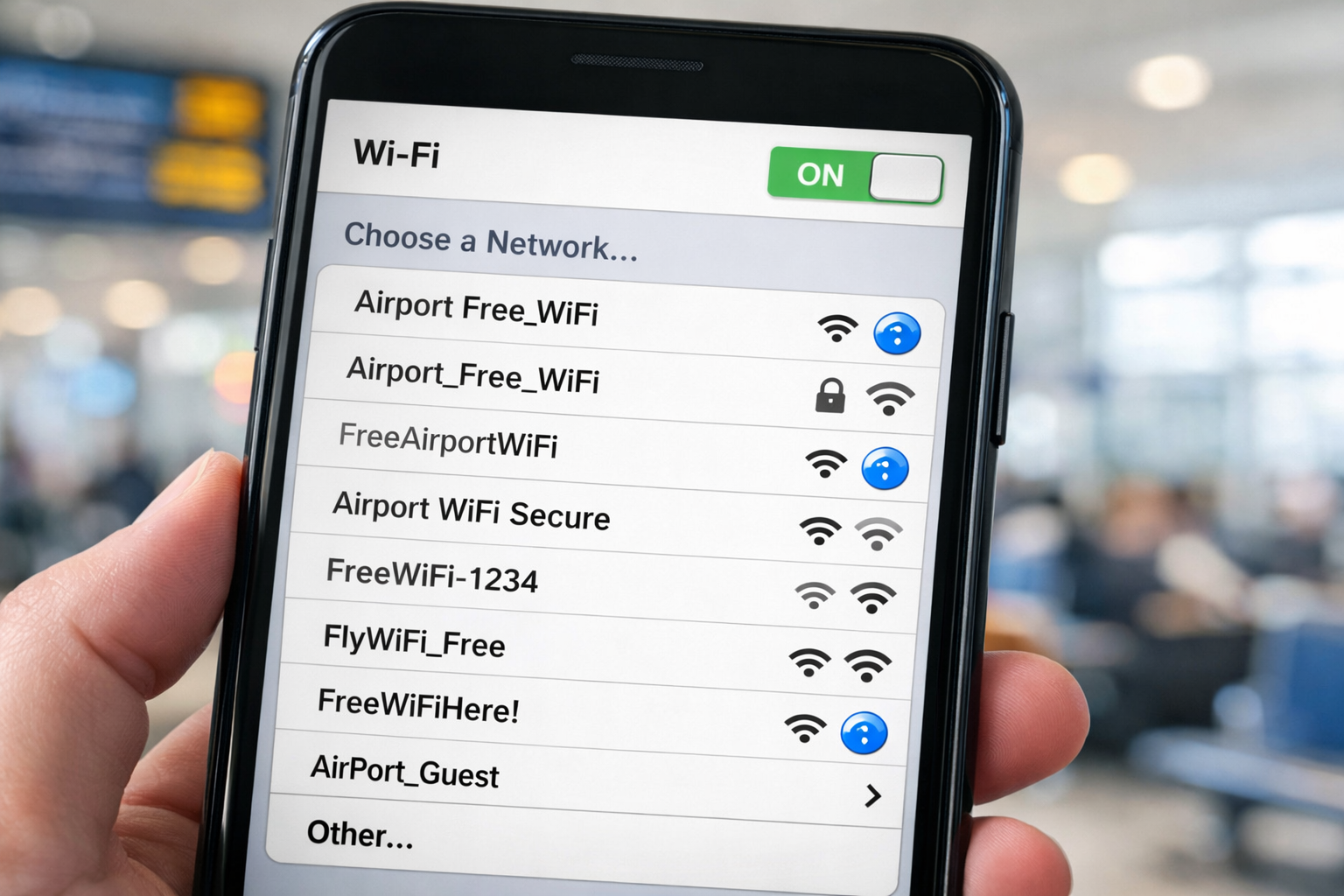
You’re sitting in a hotel lobby, an airport gate area, or a restaurant that swears it has “free Wi-Fi.” You open your phone or laptop…and suddenly you’re staring at twenty network names.
Some are obvious landmines (“FREEWIFIHERE!!!”). Some are just weird (“zjdorldnfi-2”). And some are way too confident for their own good (“Airport WiFi ✅”).
Meanwhile, the sign on the wall just says:
FREE WI-FI AVAILABLE
Cool. Love that for us. But…which one?
Because at that moment, you’re not choosing between “fast internet” and “slow internet.” You’re choosing between:
- the real network,
- a personal hotspot,
- and a look-alike network that exists purely to ruin someone’s day.
And yes, I know the usual advice: “Just use cellular.” Great idea — unless you’re in a terminal where your signal is one bar of “good luck,” or you’re overseas, or you’re trying to download something without turning your phone bill into a mortgage payment.
Here’s what I don’t understand: airports have signs for everything. Bathrooms. Smoking areas. Pet relief zones. “Don’t leave your bag unattended.”
So why is it so hard to put one additional line on the Wi-Fi sign?
Network name: ____
That’s it. That’s the whole fix.
Some places actually do this correctly (thank you)
And the part that makes this extra annoying? Some places already have it figured out.
Some lounges literally post the Wi-Fi network name (and yes, the password) in plain sight — exactly where you’d expect it to be. These were on almost every table of the Centurion Lounge.
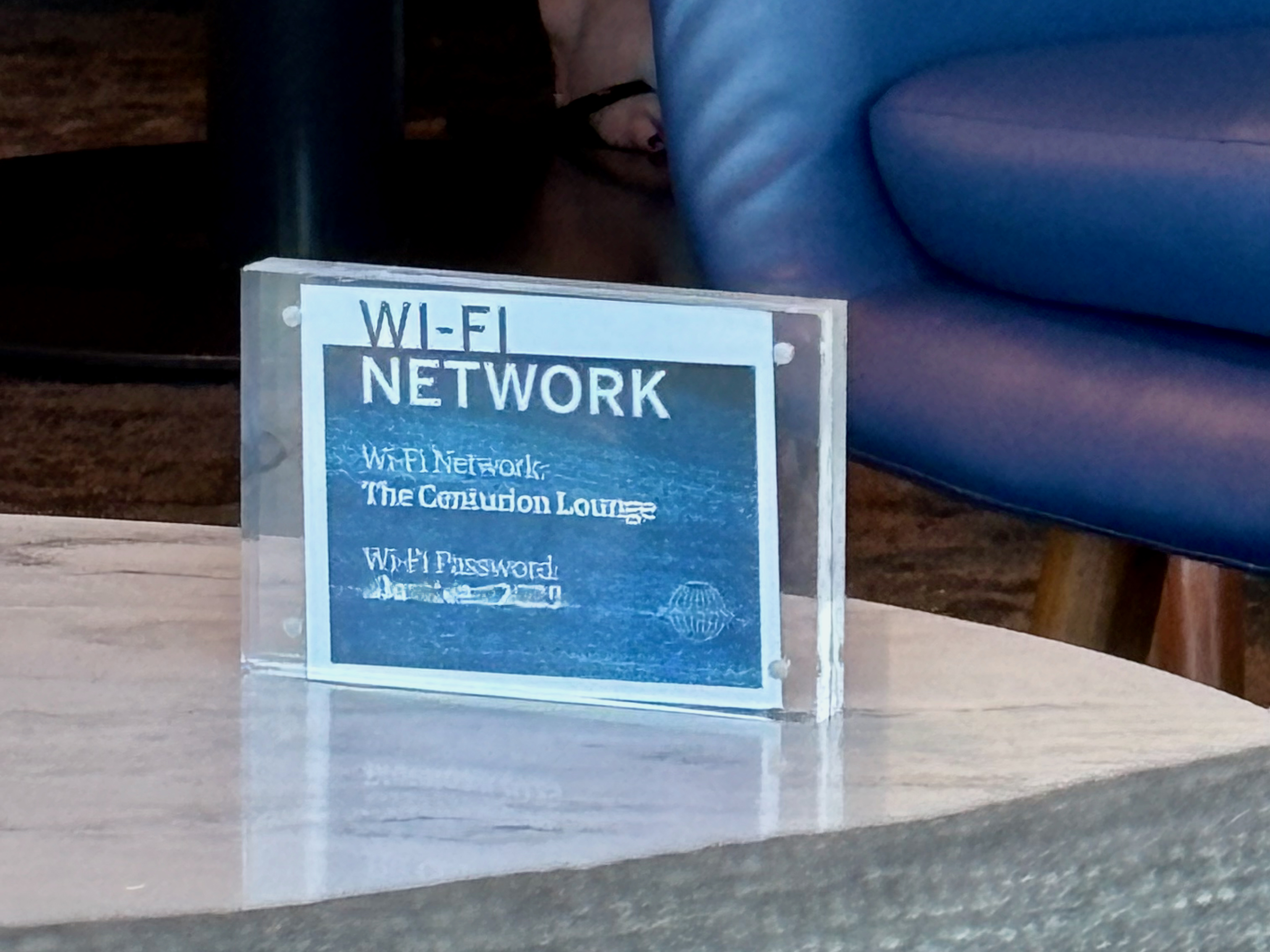
Note: I’m leaving the network name visible (that’s the whole point), but I blurred the password. Even if it changes, there’s no reason for my blog post to be part of the distribution system.
Just: Network name. Right there.
Examples: airports that publish the Wi-Fi network name (SSID)
Of course, there’s still a catch: if the SSID (aka the network name) is only on the airport’s website, you either have to look it up ahead of time…or you need working cellular data in the terminal to find it. That’s why the best solution is still the simplest: put the network name on signage inside the terminal.
Quick tip: Googling [airport name] + “airport wifi” will usually surface the airport’s own Wi-Fi page within the first few results. Just be careful with “all-airports” aggregator sites — even if their info is usually correct, you’re still trusting a third party.
U.S. airports
- Orlando International Airport (MCO) — SSID: MCO Internet
- Hartsfield-Jackson Atlanta International Airport (ATL) — SSID: ATL Free Wi-Fi
- San Francisco International Airport (SFO) — SSID: #SFO FREE WIFI
International airports
- Heathrow Airport (LHR) — SSID: Heathrow Wi-Fi
- Narita International Airport (NRT) — SSID: FreeWiFi-NARITA
- Hong Kong International Airport (HKG) — SSIDs: #HKAirport Free WiFi and #HKAirport Hi-Speed WiFi (with a fallback option listed if you can’t see the main SSID)
- Istanbul Airport (IST) — Wi-Fi connections are more involved (SMS/ID or passport-style login flows). You may see the SSID listed as iGA WiFi on unofficial airport guides, so treat it as “helpful, but verify.”
The 30-Second Fix: How I Pick the Right Wi-Fi Without Losing My Mind
I shouldn’t have to do this, but here we are. If you’re stuck choosing from a list of suspiciously similar networks, this is the quick routine:
- Check the official website first (if you can).
Some airports actually post the network name online. If you can pull it up, do it before you connect to anything. - Avoid anything that looks like a personal hotspot.
If it’s “Mike’s iPhone,” “GalaxyS23,” or “RentalCar-WiFi,” keep scrolling. - Be suspicious of look-alikes.
“MCO Internet” vs “MCO_Internet” vs “MCO Intern3t” — if there are multiple “official-looking” options, that’s a red flag. - Turn off auto-join (especially in airports).
Your phone trying to be “helpful” is how you end up connected to something you never picked on purpose. - Treat public Wi-Fi like it’s a public restroom.
Useful in a pinch, but don’t do anything too personal on it unless you’re using a VPN. (Yes, even then, be smart.)
Bonus tip: If the place offers Wi-Fi but won’t tell you the network name unless you connect first… that’s not a system I trust.
Final thought
None of this should be hard.
If an airport, hotel, lounge, or coffee shop is going to advertise “FREE WI-FI,” the least they can do is tell people which network is actually theirs. Not buried on a help page. Not hidden behind a captive portal you can’t reach without already being online. Just one simple line on the sign.
Network name: ____
Because when travelers are stuck guessing, the “free Wi-Fi” experience turns into a game of roulette — and the only prize is wasting your time (or connecting to the wrong thing).
How about you: what’s the most ridiculous Wi-Fi name you’ve seen while traveling…or the worst “which network is real?” situation you’ve run into?
Want to comment on this post? Great! Read this first to help ensure it gets approved..
Want to sponsor a post, write something for Your Mileage May Vary, or put ads on our site? Click here for more info.
Like this post? Please share it! We have plenty more just like it and would love it if you decided to hang around and sign up to get emailed notifications of when we post.
Whether you’ve read our articles before or this is the first time you’re stopping by, we’re really glad you’re here and hope you come back to visit again!
This post first appeared on Your Mileage May Vary