Not that long ago, in-flight Wi-Fi was a “nice if you can get it” perk—generally slow and overpriced, and not something you could rely on working at all.
Things have changed since then. Now it’s part of the decision-making process. Some airlines still don’t offer Wi-Fi on every flight (or at all), while others bake it into the experience. And plenty of travelers will absolutely pick one airline over another based on whether they can get online—even if it’s just to keep up with work messages, entertain the kids, or doomscroll at 35,000 feet.
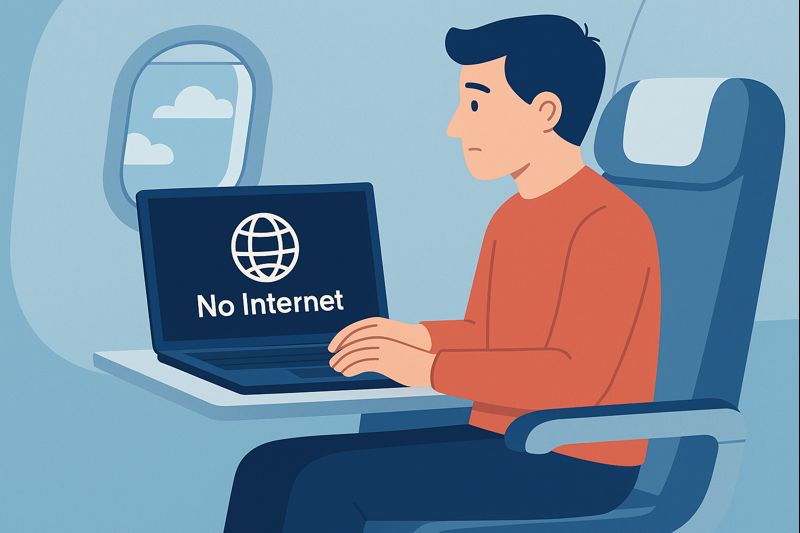
That’s what makes broken Wi-Fi so frustrating. When it’s missing, it can range from a minor annoyance to a major hassle… because you planned your travel day assuming you’d be connected.
Now that we’ve resumed flying with United, we’re learning more about the reliability of their Wi-Fi. And spoiler alert: it can be a coin flip.
Our “Wi-Fi worked perfectly” United flight (Newark to London)
On our United flight from Newark (EWR) to London (LHR), the Wi-Fi experience was… completely fine. It connected easily, stayed stable, and did what we needed it to do. No drama.
Even better: it was free, thanks to United’s partnership with T-Mobile. Once you’ve had a flight where Wi-Fi is reliable and you didn’t have to pay extra for it, it’s easy to start thinking, “OK, United has this figured out.”
(We flew a different airline home, so I’m not claiming we tested United Wi-Fi across a dozen international segments. This is just one very positive data point.)
Then Sharon hit the “Wi-Fi is dead” version of United
Fast forward to two separate JetBlue trips my wife, Sharon, took later on. She needed to take United flights to get home—one because it was the best option from Chicago, and another because a United flight out of Newark worked better timing-wise.
Both times, the United Wi-Fi wasn’t just slow or spotty.
It wasn’t working.
That’s the problem with United’s Wi-Fi in a nutshell. On one flight, Wi-Fi is fast, stable, and free. On another, it’s simply unavailable—so whatever you were planning to do online is instantly off the table.
It’s not just us: Flyers complain about inconsistency
After Sharon’s back-to-back “no Wi-Fi” flights, I went digging to see if we’d just had bad luck. And if you spend a few minutes reading what frequent flyers say (Reddit threads, travel blogs, and the usual airline forums), you see the same theme over and over:
- United Wi-Fi quality varies wildly from plane to plane.
- Some flights are good enough to stream or work.
- Others have systems that constantly drop out… or don’t come online at all.
A lot of people attribute that inconsistency to a simple reality: United’s fleet hasn’t yet standardized on a single Wi-Fi experience. Different aircraft, different equipment, different results.
The fix on the horizon: Starlink (but it’s not fully “there” yet)
To United’s credit, there’s a clear “eventually this gets better” story here: Starlink. United has already started rolling out Starlink Wi-Fi and positioning it as a major upgrade—fast, more consistent connectivity and (eventually) free for MileagePlus members.
But if you’ve been following along, you also know the rollout hasn’t been perfectly smooth. We covered the early Starlink hiccups in detail in this post:
United Airlines Starlink Wi-Fi Issues: Why the “Free Wi-Fi” Hasn’t Been Working on Some Flights
So yes—this is the direction I want United to go. But until the experience is consistently reliable across more of the fleet, it’s hard to treat United Wi-Fi as something you can count on.
Final thought
We’re willing to fly United when the schedule and price make sense. Our EWR–LHR flight was proof that United Wi-Fi can be easy, stable, and even free.
But Sharon’s two domestic flights were the other side of the coin: the Wi-Fi wasn’t just disappointing—it wasn’t functional. And as Wi-Fi becomes more of a “real” travel need (not a luxury), that inconsistency makes us less likely to choose United until they fix the Wi-Fi situation.
Want to comment on this post? Great! Read this first to help ensure it gets approved.
Want to sponsor a post, write something for Your Mileage May Vary, or put ads on our site? Click here for more info.
Like this post? Please share it! We have plenty more just like it and would love it if you decided to hang around and sign up to get emailed notifications of when we post.
Whether you’ve read our articles before or this is the first time you’re stopping by, we’re really glad you’re here and hope you come back to visit again!
This post first appeared on Your Mileage May Vary

1 comment
Delta is hit or miss for me most of the time.