If you have the World of Hyatt Credit Card, there’s a simple reason you might push spend onto it near the end of the year: the card can earn you an extra Free Night Award after you hit a spending threshold.
Specifically, you get one free night each year on your cardmember anniversary, and you can earn an additional free night if you spend $15,000 in a calendar year. (That “calendar year” part matters.) Chase spells it out here, and Hyatt references it here.
The catch: if you get to late December and you’re not positive you’re over $15,000, you can’t “fix it later.” If your next statement doesn’t close until January, and you miscalculate, there’s no going back.
Why tracking the $15K spend can get messy
Until now, I’ve been using a custom report in Quicken to track spending across the year. It works… until it doesn’t. One wrong setting, one missed category, or one account filter you forgot about, and suddenly your “total spend” is more of an estimate than a number you’d bet a free night on.
And even if your tracking is perfect, you still have to remember what doesn’t count toward the $15,000 requirement:
- Annual fees, interest, and penalties don’t count as purchases.
- Returns/refunds reduce your net spend (and can knock you back under $15K).
- Some transaction types aren’t “purchases” for rewards purposes (like balance transfers and cash advances/cash-like transactions).
Chase’s rewards terms describe eligible spend as purchases “minus returns or refunds,” and they also list common transaction types that don’t count as purchases. You can see that language here.
The easy way: use Chase’s built-in “Spending summary” view
I recently found a much simpler way to get a yearly snapshot of what Chase shows as your total spending for the year—directly on the Chase website.
Here’s how to find it on desktop:
- Log into Chase.com.
- Open your World of Hyatt Credit Card account page.
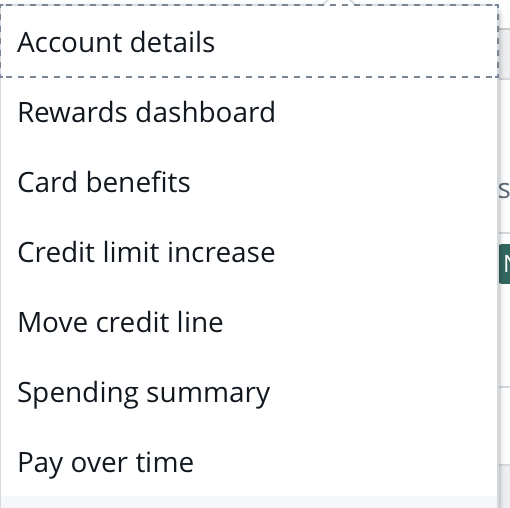
- Click “More” (it’s in the row with things like “Pay card,” “Statements,” and “Paperless”).

- In the dropdown, select “Spending summary.”
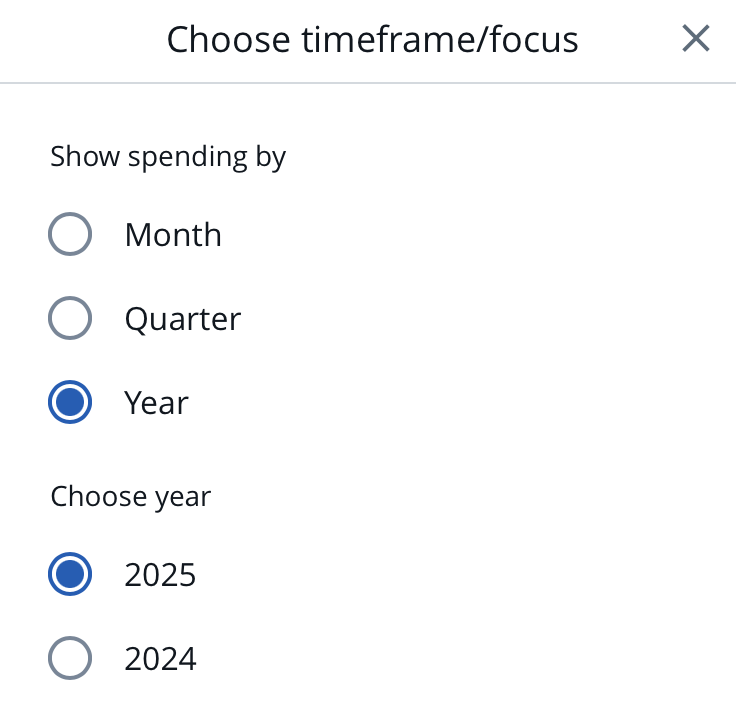
- Change the view to Year, then select the correct year (e.g., 2025).
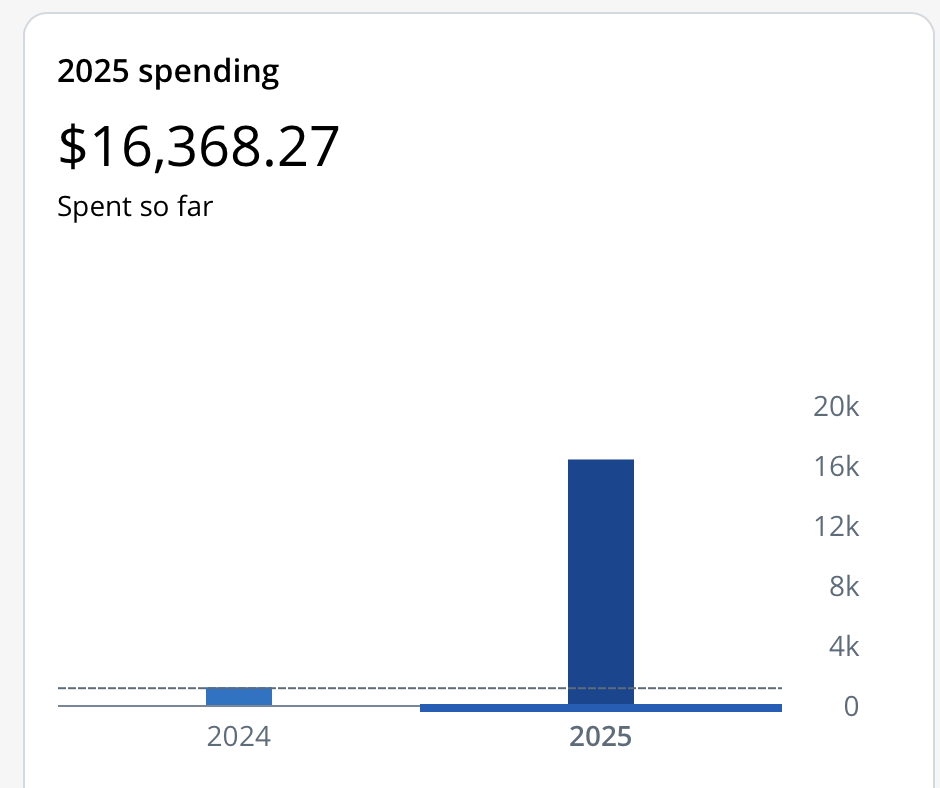
Once you do that, Chase will show a simple total like: “2025 spending – $16,368.27 spent so far” (example from my account), along with a basic bar chart.
Two important “don’t get burned” reminders
1) Don’t treat it as gospel if you’re right on the edge.
This view is incredibly helpful for a quick snapshot, but if you’re hovering near $15,000, you should still sanity-check what’s included. Fees/interest shouldn’t count toward the $15K requirement, and refunds can reduce your spend—so if you’re at $15,020 on the screen, that might not be as safe as it feels.
2) Give yourself a buffer.
If you’re doing this late in the year, aim to finish comfortably above $15,000. That gives you room for a late-posting refund, a reclassified transaction, or anything else that could reduce net purchases after you thought you were done.
Bottom line
If you’re trying to hit the World of Hyatt card’s $15,000 calendar-year spend for the extra Free Night Award, Chase already gives you a quick way to see your year-to-date spend. It’s a lot easier than building a report elsewhere—and a lot less stressful when December starts running out of runway.
Extra Credit
If you want a long-running thread with data points and edge-case questions, FlyerTalk has one here: Chase Hyatt card free night after $15K spending.
Want to comment on this post? Great! Read this first to help ensure it gets approved.
Want to sponsor a post, write something for Your Mileage May Vary, or put ads on our site? Click here for more info.
Like this post? Please share it! We have plenty more just like it and would love it if you decided to hang around and sign up to get emailed notifications of when we post.
Whether you’ve read our articles before or this is the first time you’re stopping by, we’re really glad you’re here and hope you come back to visit again!
This post first appeared on Your Mileage May Vary


2 comments
Useful.
Never understood the problem with this or meeting SUBs. I run $10,000-$12,000 a month through my cards so really just a matter of when I want to hit the number. For 2026 changing my focus from Hilton to Hyatt since Globalist this year. Will hit $15,000 in Surpass sometime in 3rd or 4th quarter but will likely run $50,000-$75,000 through Hyatt to get 20-30 nights so will requalify w the 30-40 stay nights I planned. Also figure the Hyatt card is good for almost any category except airfare (Amex Platinum) and grocery/restaurant (Amex Gold) since I value a Hyatt point at 1.7 but usually get 2-4 cent/point when I redeem. At that rate not losing anything as your day to day spend card