Leaving town used to mean asking a neighbor to grab the mail and maybe putting the newspaper on hold.
Now? It’s a whole different level of logistics.
Between USPS mail, UPS deliveries, FedEx packages and Amazon shipments arriving from drivers at all hours of the day, it’s surprisingly easy for your front porch to turn into a package storage center while you’re away.
And unlike years ago, you often don’t even know which company will deliver something until the tracking number finally appears.
That’s why it’s worth setting up delivery-management accounts before you actually need them. Most major carriers now offer tools that let you pause deliveries, redirect packages, send items to pickup locations, or at least alert you when something is headed to your house.
Some services work better than others. Some charge extra for features that used to be free. And a few are still far more complicated than they should be.
Here’s the updated way to manage your mail and packages when you’re traveling, including USPS, UPS, FedEx and Amazon deliveries.
US Postal Service (USPS)
The U.S. Postal Service still makes it relatively easy to pause your mail while you’re away, but the process has become much more account-driven than it used to be.
If you haven’t already, you’ll want to create a USPS.com account and verify your identity before your next trip. The verification process can sometimes take several days, so this is one of those things that’s much easier to set up before you actually need it.

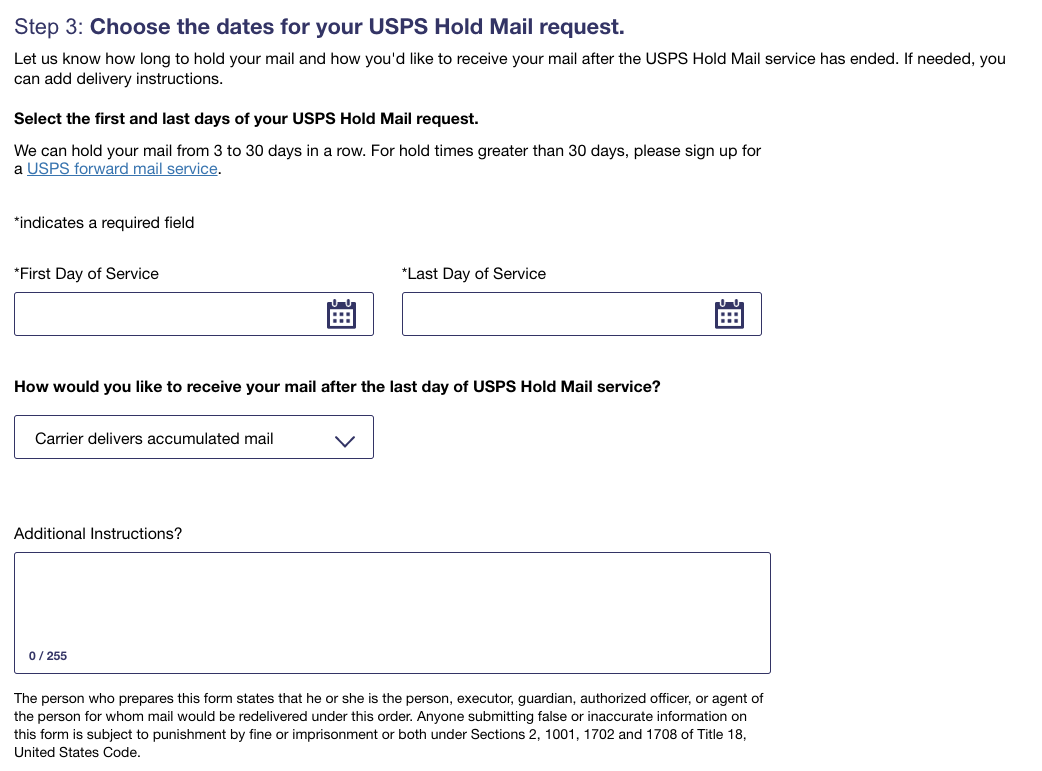
Once your account is verified, you can submit a USPS Hold Mail request online in just a few clicks. USPS currently allows holds ranging from 3 to 30 days. You can choose to either:
- Pick up your accumulated mail at the Post Office when you return
- Have everything delivered in one giant bundle after the hold ends
And yes, that includes packages delivered by USPS, not just regular letters and junk mail.
One feature that’s become much more useful in recent years is USPS Informed Delivery. It’s a free service that emails you previews of incoming mail and tracks packages headed to your address.
Even when we place a mail hold, I still like checking Informed Delivery while traveling. It’s helpful for keeping an eye on unexpected deliveries, important mail, or packages that might still be en route to your house via another carrier.
For short trips, putting your mail on hold is usually enough. But if you’ll be gone for more than a month, it may make more sense to look into mail forwarding or have someone you trust periodically collect your mail instead.
United Parcel Service (UPS)
If you regularly receive packages from UPS, it’s worth signing up for UPS My Choice before you actually need it.
The service lets you track incoming deliveries, receive delivery alerts, and manage packages headed to your address. However, UPS has changed the program quite a bit over the years, and many of the more useful features now either cost extra per use or require a paid membership tier.
At a minimum, the free version is still useful because you’ll know when packages are coming and can often reroute them before delivery attempts are made.
Depending on the shipment, UPS may allow you to:
- Reschedule delivery for another day
- Redirect a package to a UPS Store or UPS Access Point
- Authorize a release if you won’t be home
- Upgrade delivery timing
One improvement in recent years is the growth of UPS Access Point locations. These are pickup spots located inside stores like CVS, Staples, local businesses and UPS Stores. In many cases, redirecting a package to one of these locations is easier than trying to delay delivery while you’re traveling.
That said, UPS can still be frustratingly inconsistent about which packages qualify for rerouting or holds. I’ve personally had situations where UPS offered me a paid reroute option, only to later say the shipment wasn’t actually eligible for changes.
So while UPS My Choice is still worth having, it’s best viewed as a helpful tool — not a guarantee that every shipment can be redirected at the last minute.
Federal Express (FedEx)
FedEx has quietly become one of the easier delivery services to manage while you’re away, especially if you set everything up ahead of time.
To access delivery controls, you’ll need to create a free account with FedEx Delivery Manager. Once enrolled, you can receive shipment notifications, track incoming packages, and place temporary vacation holds on deliveries.
FedEx currently allows vacation holds for up to 14 days, which is enough for most trips. During that time, packages are typically held at the local FedEx facility until delivery resumes.
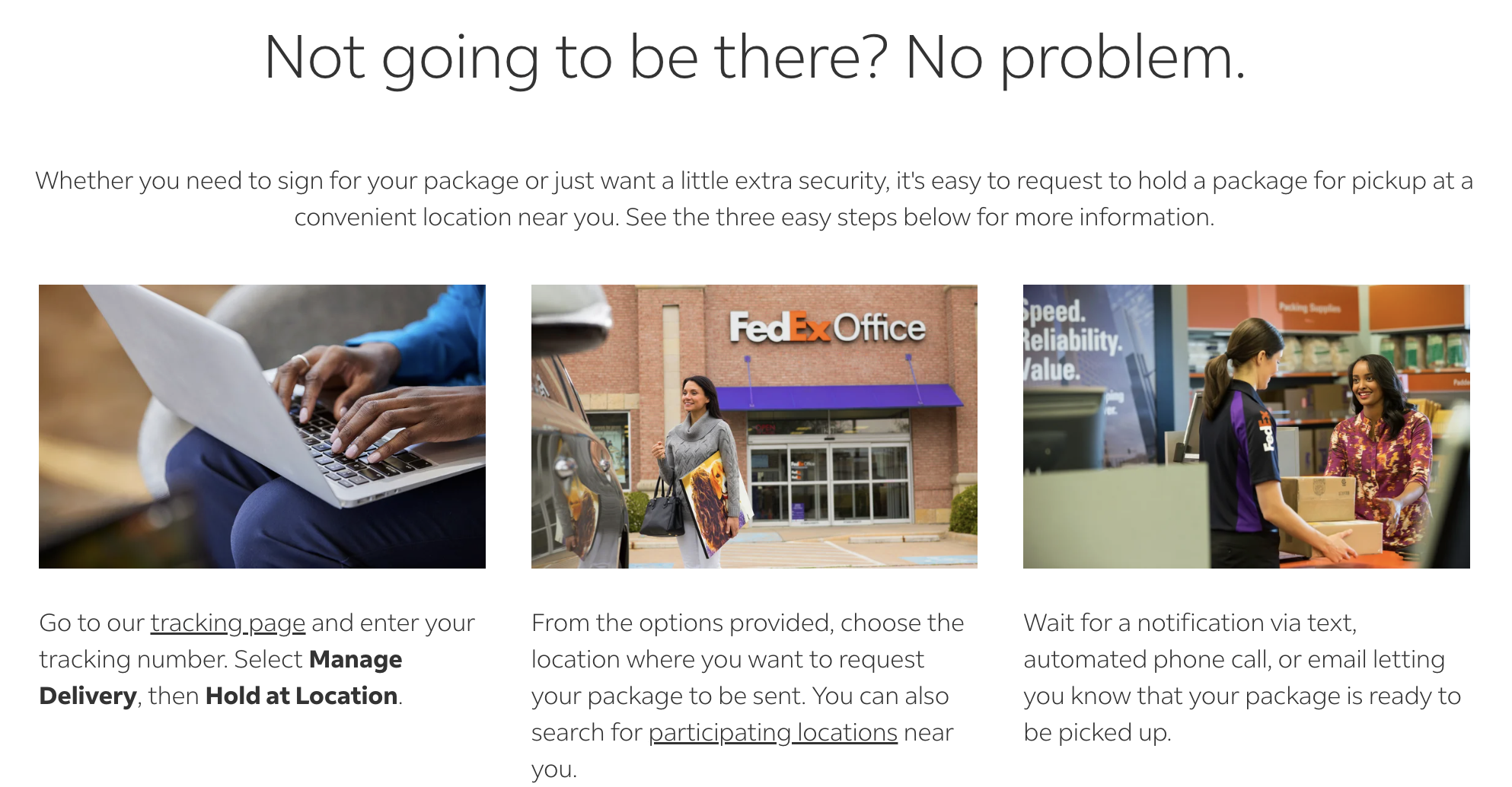
If you forgot to place a hold before leaving, FedEx also offers several alternate delivery options for eligible shipments, including:
- Holding packages at FedEx Office locations
- Redirecting deliveries to Walgreens, Dollar General and other pickup partners
- Scheduling delivery for a future date
Not every option is free, and some shipments can’t be modified depending on the sender’s restrictions, but FedEx generally provides more flexibility than it did a few years ago.
One thing I’ve found especially helpful is enabling delivery notifications through the FedEx app or email alerts. Even if you’re already traveling, at least you’ll know immediately if something unexpectedly ships to your house while you’re away
Amazon
Amazon deliveries are still the hardest ones to plan around because you often don’t know who will actually deliver the package until it ships.
Sometimes it arrives via USPS. Sometimes UPS or FedEx. And sometimes it’s delivered by an Amazon driver. That unpredictability makes Amazon packages a little trickier to manage when you’re away from home.

Amazon still doesn’t offer the same robust vacation-hold options you’ll find with UPS or FedEx, especially when Amazon handles the final delivery. In some cases, you may be able to cancel an order, change delivery instructions, or redirect a shipment after it’s placed, but the options vary and depend heavily on how the item is fulfilled.
The best workaround is often to avoid home delivery entirely.
Amazon Lockers and Amazon Counters have expanded significantly over the past few years and are now available at places like:
- Whole Foods Market
- Convenience stores and pharmacies
- Shopping centers and retail locations
We’ve used Amazon Lockers while traveling, and they worked exactly as expected. If you know you’ll need something while away from home, shipping to a locker or counter location is often much easier than gambling on hotel delivery policies or hoping a package doesn’t sit outside your house for days.
Just keep in mind that Amazon Lockers are designed for short-term pickup. Most packages need to be collected within about three days before they’re returned automatically
Final Thoughts
We knew we might be getting a package delivered while we were away, but didn’t know which delivery service would ship the item. I put a hold on our deliveries with all three services (we didn’t order anything from Amazon while we were away).
It might take a few minutes to set up each account, but once you do that, putting a hold on your mail while you’re out of town might be just as easy as it used to be when all you needed to do was tell your mail carrier.
Want to comment on this post? Great! Read this first to help ensure it gets approved.
Want to sponsor a post, write something for Your Mileage May Vary, or put ads on our site? Click here for more info.
Like this post? Please share it! We have plenty more just like it and would love it if you decided to hang around and sign up to get emailed notifications of when we post.
Whether you’ve read our articles before or this is the first time you’re stopping by, we’re really glad you’re here and hope you come back to visit again!
This post first appeared on Your Mileage May Vary