Several no-annual-fee Chase cards can be great Ultimate Rewards earners. The problem is that those no-fee UR cards can’t transfer points to airline/hotel partners unless you also have a premium Ultimate Rewards card. The value of your Ultimate Rewards is directly related to the account where you hold them. Points in a Freedom Flex, Freedom Unlimited or Ink Cash account are typically worth 1¢ each as cash back (and some redemptions, like certain gift cards or merchandise, can be worse). Once you transfer those points to a Sapphire Preferred, Ink Business Preferred or Sapphire Reserve, those points can become more valuable when used to book through Chase Travel or by transferring them to one of Chase’s travel partners—where they can be used to book flights with partner airlines, like when we flew in Business Class on Singapore Airlines.
Moving points from your no-annual-fee Chase card to your premium Chase card
Log into the account where your points are least valuable—usually one of your no-annual-fee Chase cards. Once you’re in your account, select the card that earns Ultimate Rewards and click the Ultimate Rewards link on the right side of the screen. 
This will take you to the Ultimate Rewards portal. From there, click the “Rewards details” dropdown to see a list of options.
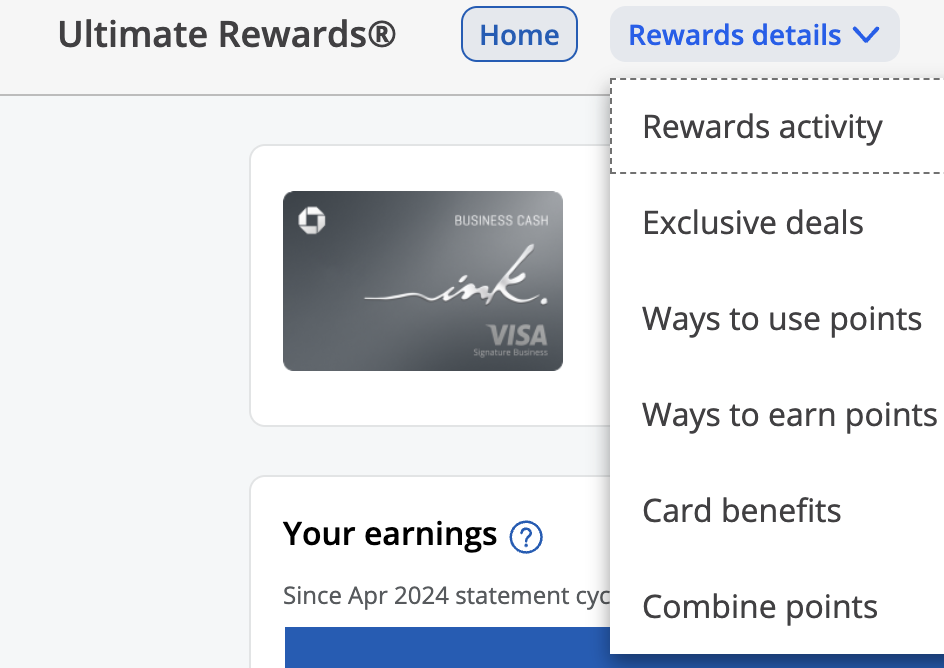
Click “Combine points” to open the transfer screen. The card account you’re currently logged into will appear at the top. If all of your Chase cards are under the same login, any eligible cards you can transfer to should appear below. If no other cards are listed, it’s a known issue we’ve covered in this post.
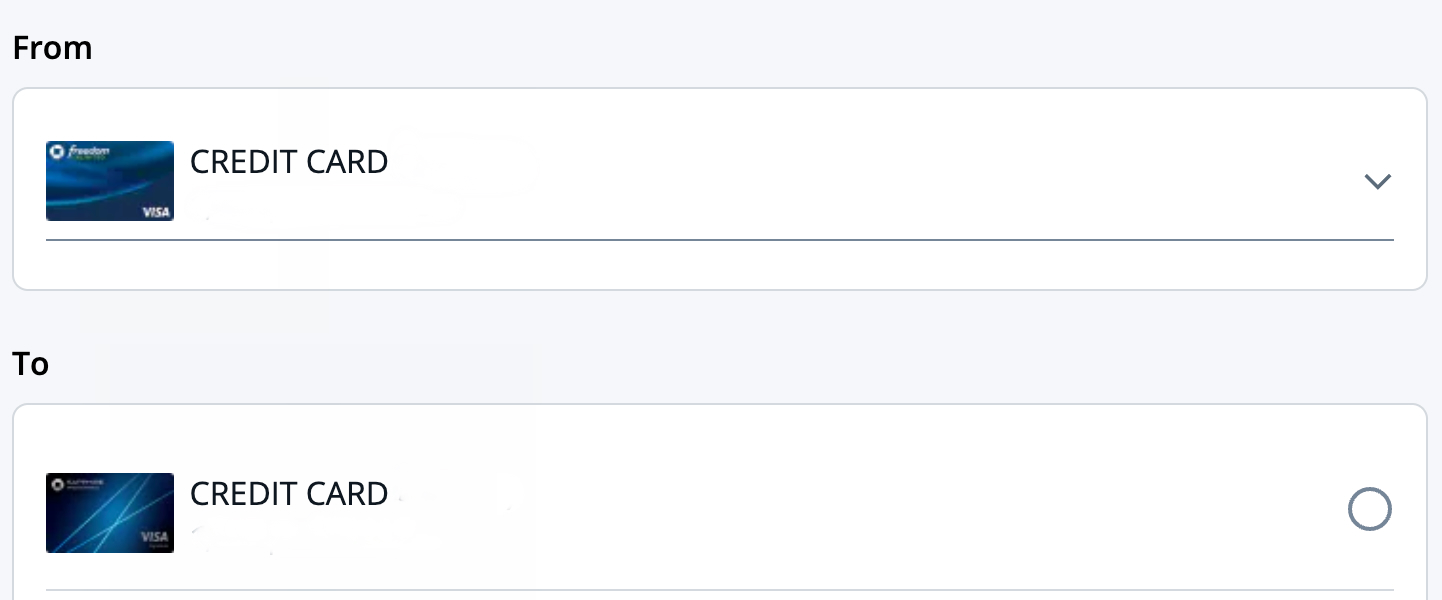
On the next screen, you’ll be asked how many points you want to move. If you’re doing this to unlock transfers or better redemptions, you’ll usually want to move all of the points from the no-annual-fee card. In this example, I’m moving 1,000 points from my Freedom Unlimited to a Sapphire Preferred.
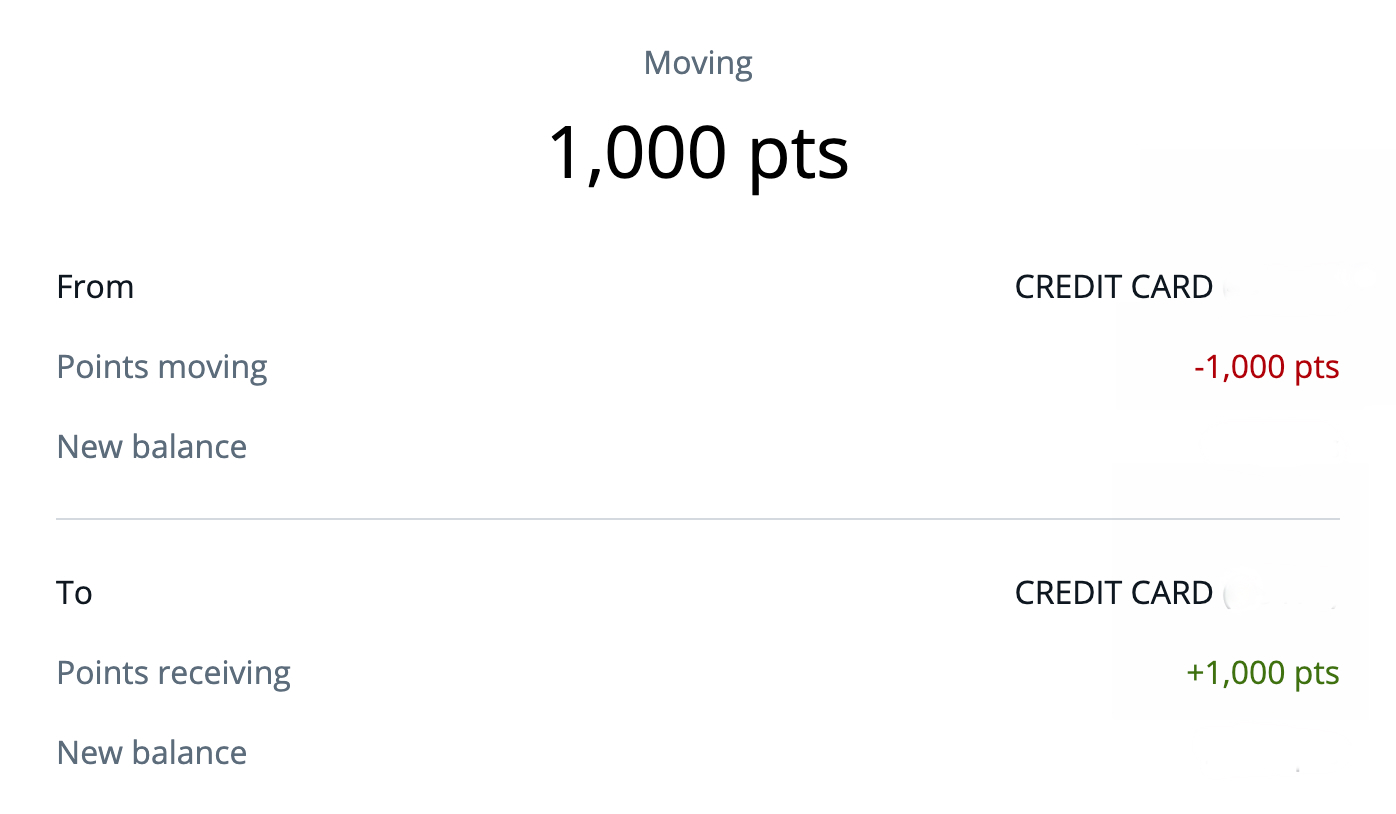
The last step is the confirmation page. There’s a warning that the transfer is final and irreversible. Click “Confirm & Submit,” and you’re done.
The points should transfer immediately. If you log into the account you transferred points to, the new balance should reflect the increase right away.
Chase App
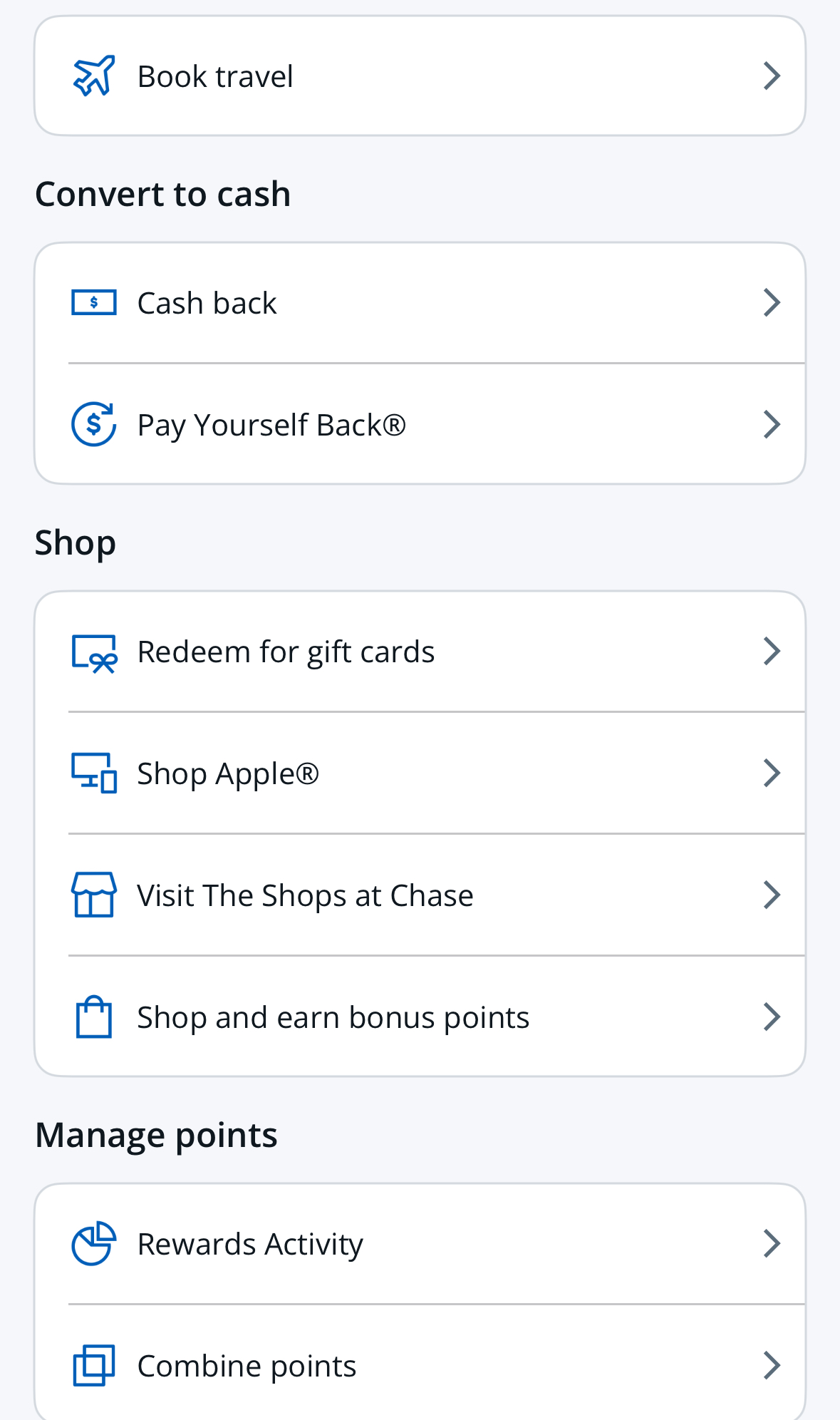
The process is similar in the Chase mobile app. After selecting the account that earns Ultimate Rewards, scroll down to the “Benefits & Travel” section. Tap “Redeem rewards” to reveal additional options.
From there, choose “Combine points.” The rest of the process is almost identical to using the website.
Rules about transferring points
Chase doesn’t let you combine points with just anyone. The transfer screen includes language explaining who you can transfer points to—and the penalties for breaking the rules.
If this feature is available to you, you can move points, but only to another Chase card with Ultimate Rewards belonging to you, or one member of your household or owner of the company, as applicable.
Combining points with other Chase cards with Ultimate Rewards is subject to the terms and conditions of your Rewards Program. See your Rewards Program Agreement for details. Please review your accounts that may be closed and move points from those accounts to an active account to avoid forfeiting points. You can also explore more Ways to use points.
There’s one more thing I need to stress if you’re going to do this:
Don’t close the account you transferred points to!!!
Your points remain safe only as long as the account holding them stays open. Don’t transfer points into a Chase “premium” Ultimate Rewards card if you plan to close it soon.
When you close an account, any Ultimate Rewards points in that account can be forfeited. There are ways to protect your points before closing a card, but that’s a topic for another post.
Want to comment on this post? Great! Read this first to help ensure it gets approved.
Want to sponsor a post, write something for Your Mileage May Vary, or put ads on our site? Click here for more info.
Like this post? Please share it! We have plenty more just like it and would love it if you decided to hang around and sign up to get emailed notifications of when we post.
Whether you’ve read our articles before or this is the first time you’re stopping by, we’re really glad you’re here and hope you come back to visit again!
This post first appeared on Your Mileage May Vary